Time flows.
Experience it.
Chrona is a calm day planner for iPhone, iPad and Apple Watch. Your events, your routines and the links you save sit on one timeline, in the order you will live them.
Free in the public beta on TestFlight. The Apple Watch app comes with it.
An animated illustration of the app, playing on its own
A Thursday with Chrona
The clearest way to explain a timeline is to walk down one. Here is a day, from the first thing you save to dinner. The red line is your own time, right now.
- 08:10Lemon pasta in 20 minutesSaved from Safari · Unsorted08:10no time yet
Save it now. Chrona gives it a time.
A recipe, an article, a video, a note to yourself. Share it to Chrona from any app that has a share button. Pick a time on the spot, or leave it in Unsorted and schedule it when you're ready.
- 09:00Morning yogaRoutine · Mondays and Thursdays09:0045m
Routines that write themselves.
Pick the days once. Chrona puts each one on your timeline, and you can still move or skip a single day without touching the rest.
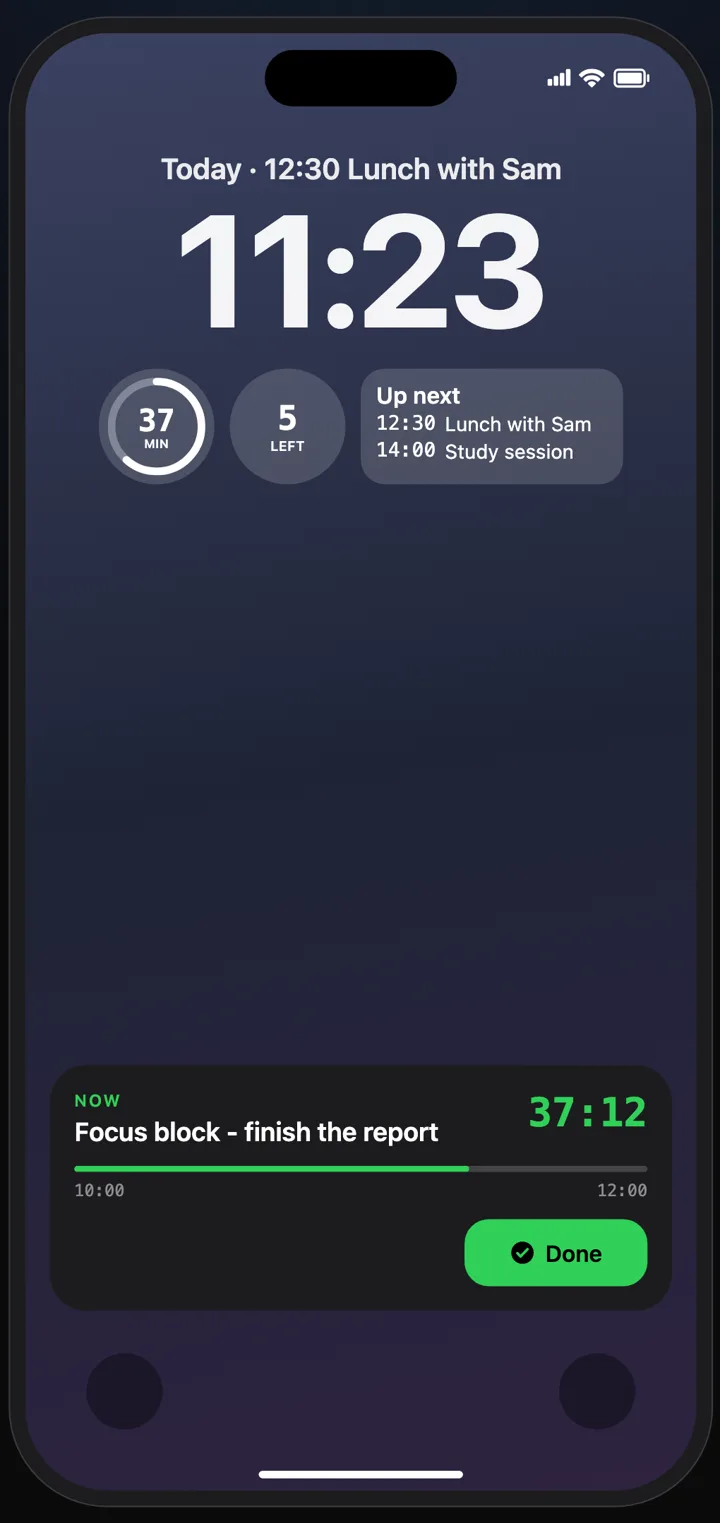
- 10:00Focus block: finish the reportPhone on silent. No email.10:002h
The block you’re in, on your Lock Screen.
Widgets and a Live Activity keep the current event in view: what it is, how long is left, what comes next. Tap Done when you finish early.
- 12:30Lunch with SamDishoom Shoreditch12:301h
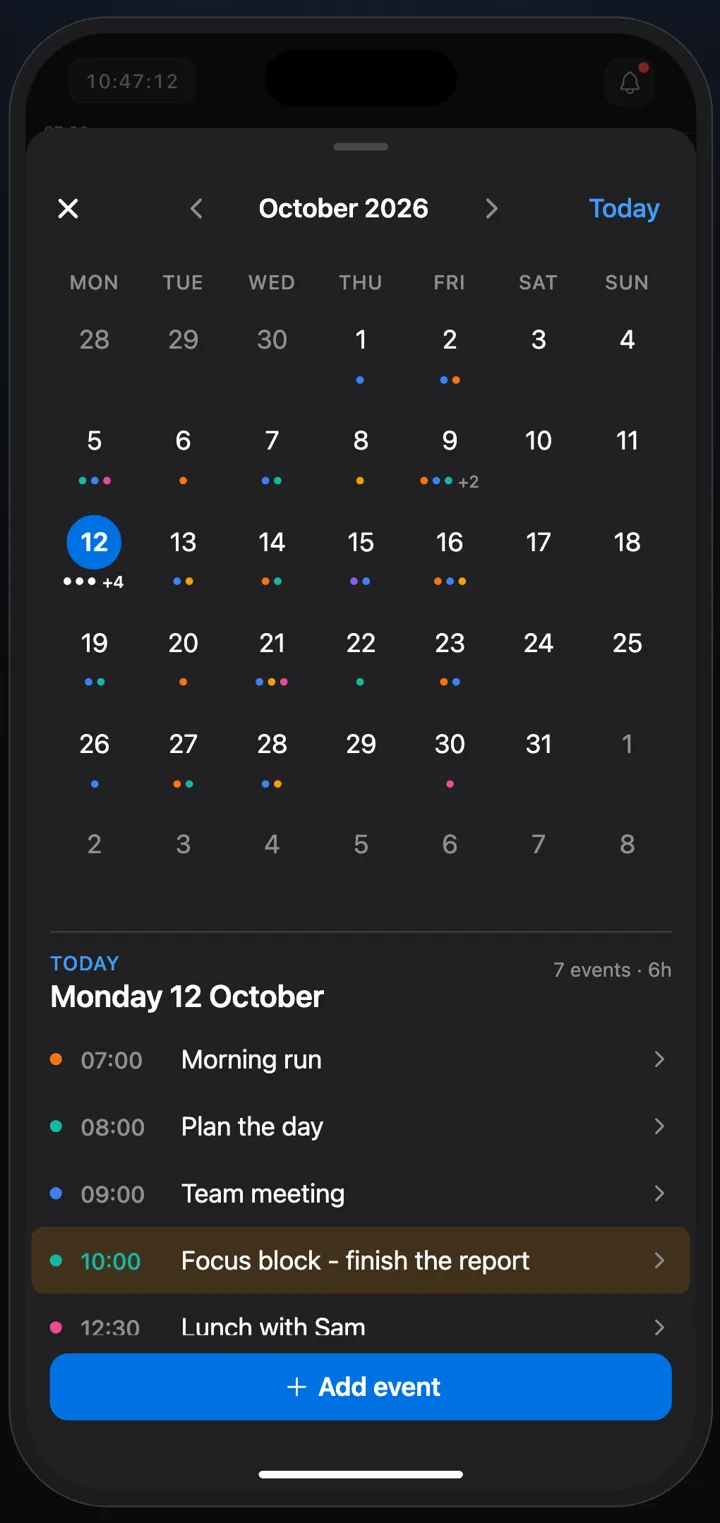
One timeline, and the whole month behind it.
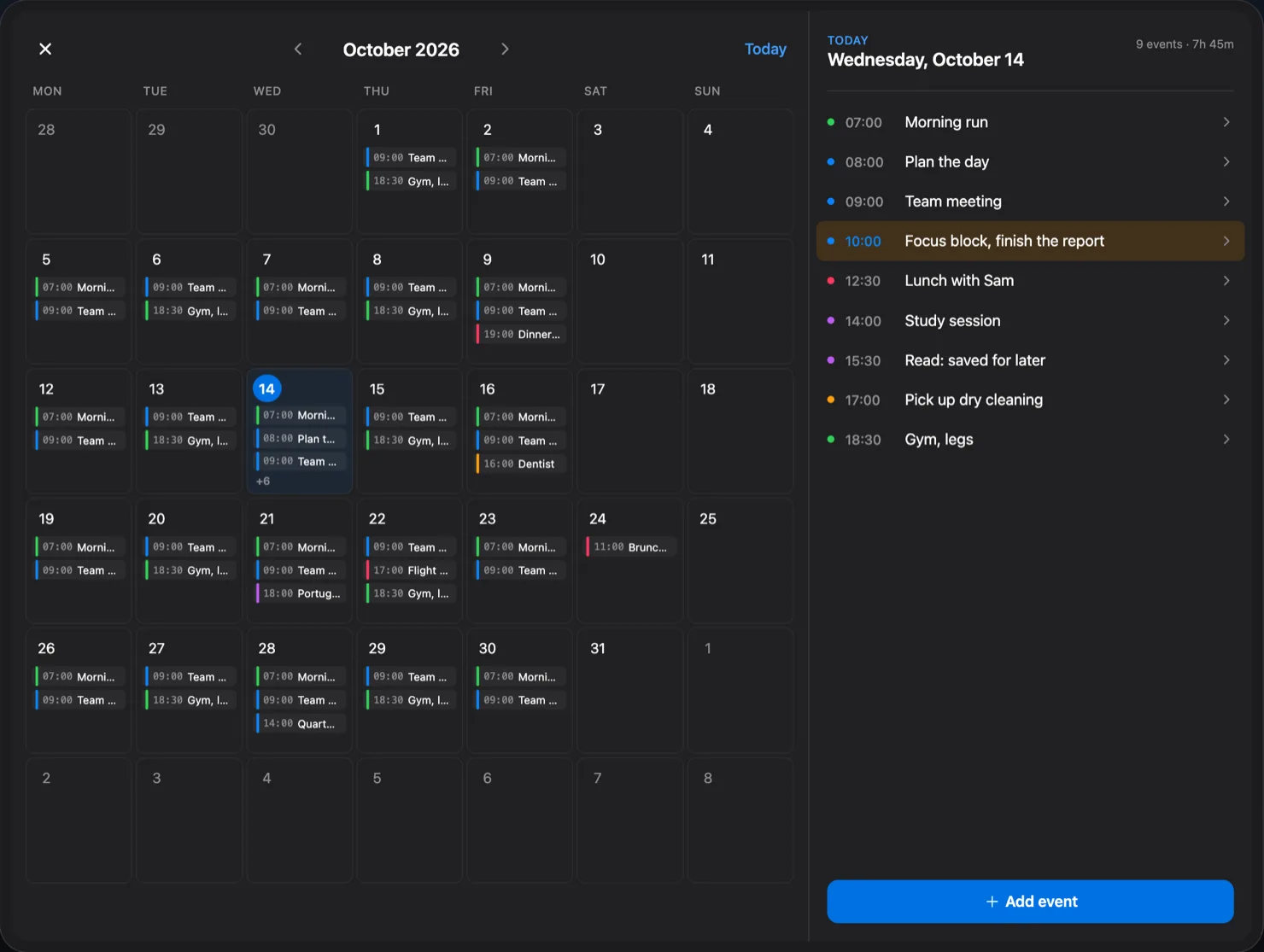
Your events, routines and saved links sit on one timeline you scroll, beside your Apple Calendar. Open the month to see the busy days, tap one and the timeline goes there.
- 15:00Design reviewStudio 4, King’s Cross · 3 going15:001h 30m
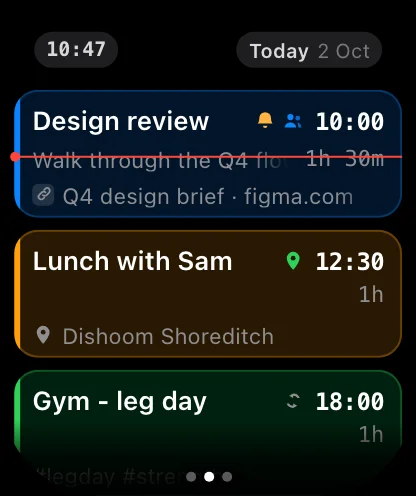
Your day on your wrist.
The Apple Watch app comes with the iPhone app. See what's next, open an event, and ask Chrona from the watch when your phone is in your bag.
- 17:30Gym: leg dayMoved from 18:00 by Ask Chrona17:301h
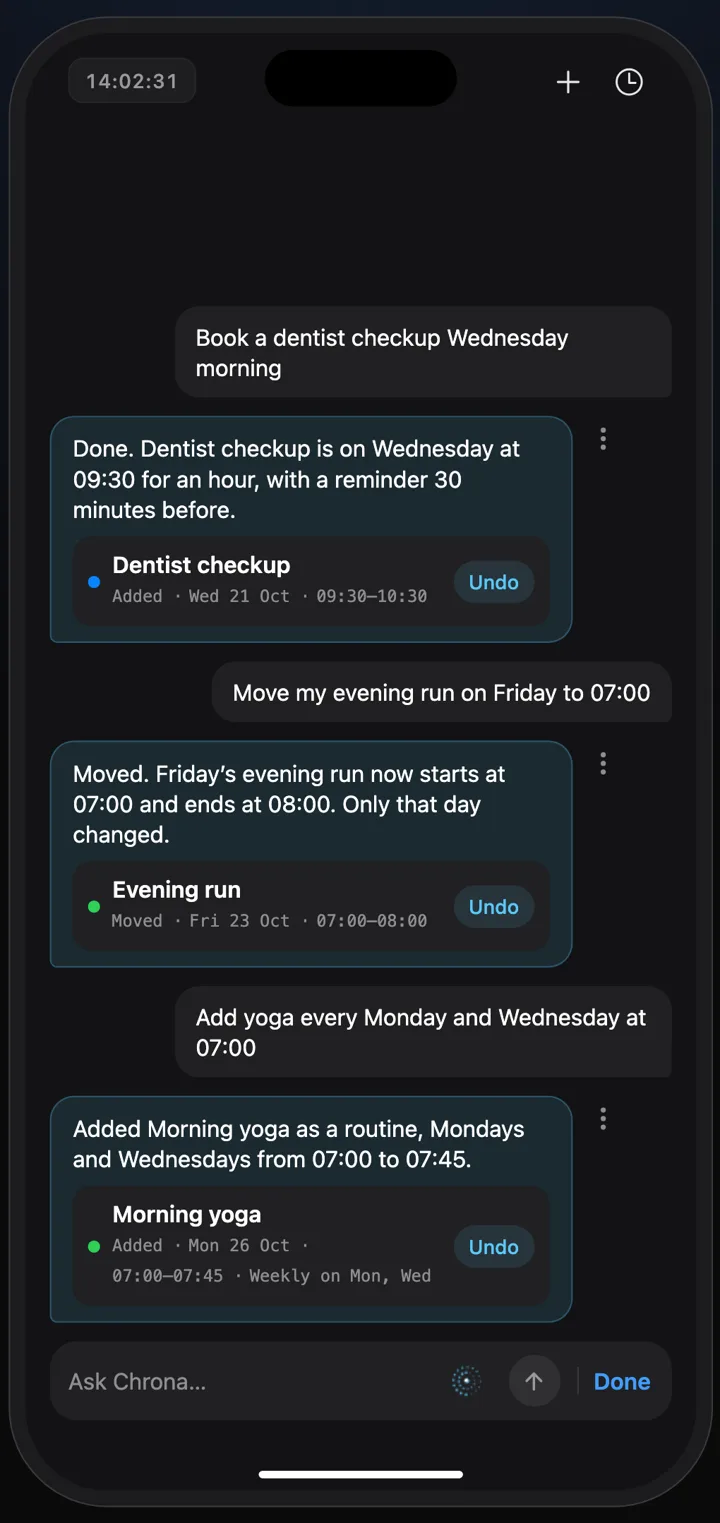
Type it or say it. Chrona plans it.
“Move the gym to half five, so dinner isn’t rushed.” Ask Chrona by typing or in a voice call. Every change shows what it did, with Undo.
AI features run only after you agree to them.
- 19:00Lemon pastaThe recipe you saved this morning19:0045m
Saved at eight. On the table at seven.
The link you saved over breakfast is now an event like any other, with the recipe one tap away. That is the whole idea: what you mean to do gets a place in your day.
The same day, on Apple Watch
Timeline
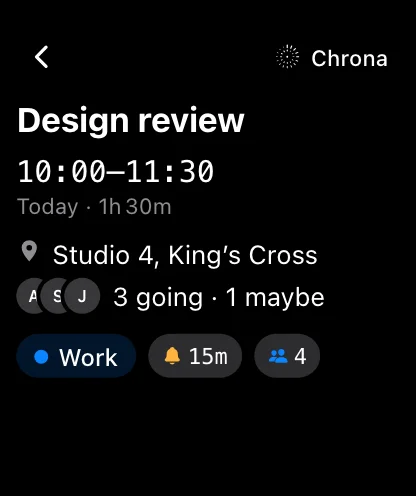
An event
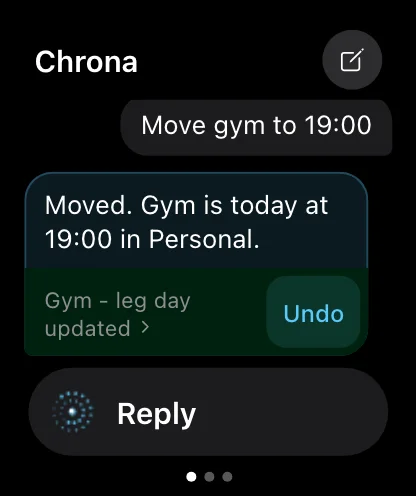
Ask Chrona
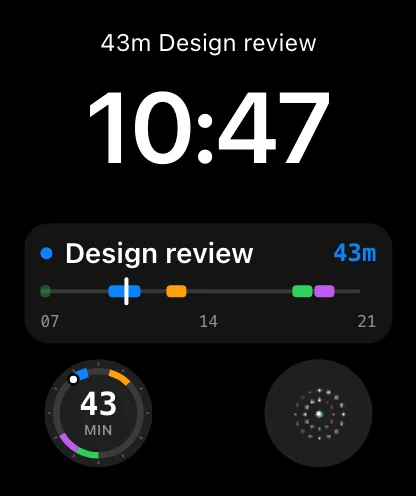
Watch face
The same day, on iPad
With more room, the month and the day you pick sit side by side: the busy days at a glance, that day's list beside the grid.
Your day is yours
- No ads, no trackers
- Chrona contains no third-party analytics or advertising SDK.
- Analytics is off unless you turn it on
- Usage totals only include accounts that switched Analytics on in the app’s settings.
- AI only after you agree
- Ask Chrona stays off until you say yes, and every change it makes comes with Undo.
- Leave whenever you like
- Delete your account in the app and it is deleted at once. How deletion works
Chrona is a calendar and planning app for iPhone and Apple Watch. If you connect a Google account, Chrona uses its Google Calendar access only to show the calendars and events you choose in Chrona and to save the changes you make there, such as new events, moves and replies to invitations. Google data is never sold, never used for advertising and never used to train AI models. Chrona's AI features currently do not read the events of a Google account you connect in Chrona, and no data from that connection is sent to any AI service; the Privacy Policy describes how that would work if we switch it on. The Chrona app does not generate images, and Google Calendar data is never used to create any image. You can disconnect at any time. Read the Privacy Policy.
Give today a timeline
Chrona is free in the public iPhone beta on TestFlight. Install it, save one thing you keep meaning to do, and give it a time.